Convert XLS to DBF
XLS to DBF conversion so never been easy! The specialties of the converter are high speed and accuracy of the output. To convert XLS to DBF you need to take only three steps: select an XLS file and output dbf file, verify if the default settings are what you need and begin the conversion.
Advanced XLS Converter allows you convert a single excel file or folder with excel files to dbf format from GUI or command line.
1. Select the XLS (Excel) file or Select folder for Batch conversion
2. Select the output DBF file or folder
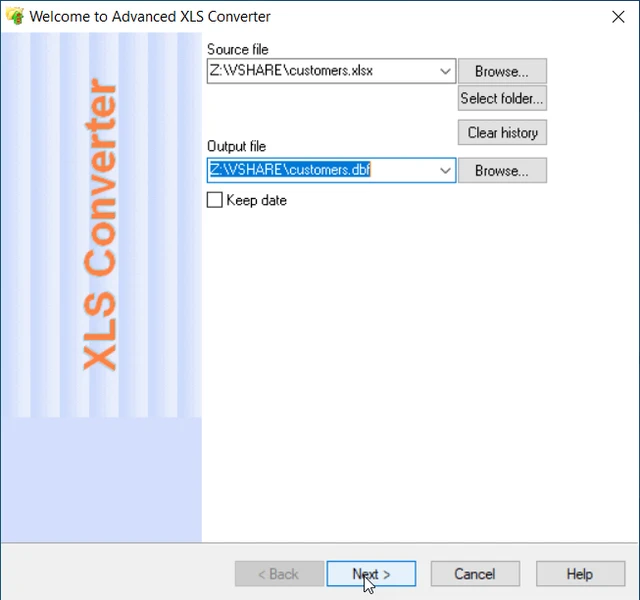
3. Preview, select options for sorting, filtering data (if necessary)
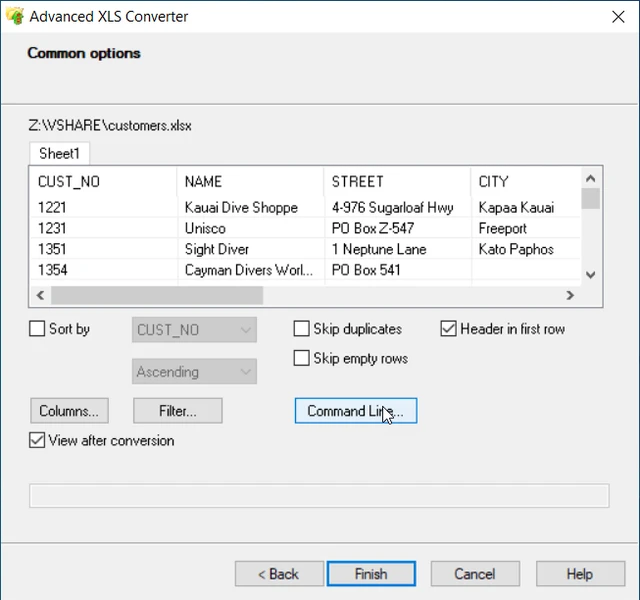
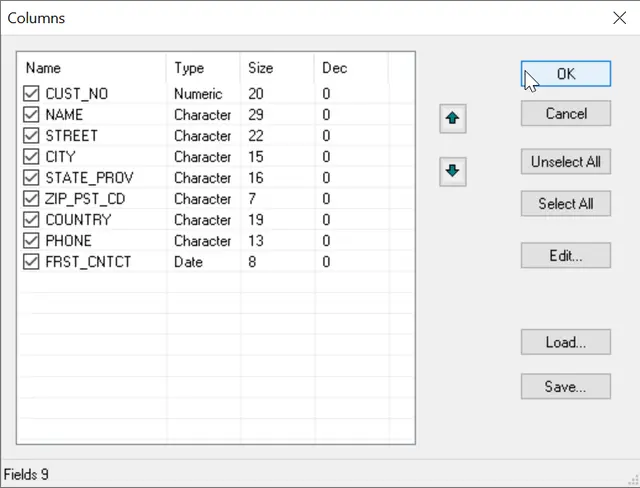
4. Select Fields and Types
You can select/unselect columns and types, set order in the Columns editor.
Excel to DBF Conversion via Command Line
"c:\Program Files (x86)\Advanced XLS Converter\xlscnv.exe" file.xls file.dbf [/VFP | /FILTER | /FILTER2 | /COLUMNS | /COLUMNSLIST | /TYPES | /TYPESLIST | /REVERSE | /SHEETNUM | /TEMPLATE | /OPEN]
Simple conversion XLS to dbf file
"c:\Program Files\Advanced XLS Converter\xlscnv.exe" sample.xls sample.dbf
Convert XLS to Visual Foxpro file format with columns selection
"c:\Program Files\Advanced XLS Converter\xlscnv.exe" sample.xls sample.dbf /COLUMNS:NAME,STREET /VFP
Convert XLS to DBF format with excluded columns
"c:\Program Files\Advanced XLS Converter\xlscnv.exe" sample.xls sample.dbf /COLUMNS:ADDR,ZIP /EXCLUDE
Convert XLS to DBF with setting types
"c:\Program Files\Advanced XLS Converter\xlscnv.exe" sample.xls sample.dbf /TYPES:ID:N10,Name:C20
Set Field Types from text file
"c:\Program Files\Advanced XLS Converter\xlscnv.exe" sample.xls sample.dbf /TYPESLIST:sample.txt
Loading templates (generated by dialog "Columns")
"c:\Program Files\Advanced XLS Converter\xlscnv.exe" sample.xls sample.dbf /template:mytemplate.tc
Convert folder with XLS files to DBF (dBase III)
"c:\Program Files\Advanced XLS Converter\xlscnv.exe" d:\base\*.xls d:\out\ /TODBF
Convert folder with XLS files to Visual Foxpro Format
"c:\Program Files\Advanced XLS Converter\xlscnv.exe" d:\base\*.xls d:\out\ /TODBF /VFP
Convert folder with XLSX files to Visual Foxpro Format
"c:\Program Files\Advanced XLS Converter\xlscnv.exe" d:\base\*.xlsx d:\out\ /TODBF /VFP
Convert only One Sheet
"c:\Program Files\Advanced XLS Converter\xlscnv.exe" sample.xls mysheet.dbf /SHEETNUM:1
Using Filter command
"c:\Program Files\Advanced XLS Converter\xlscnv.exe" sample.xls mysheet.dbf /FILTER2:Products:abc*
Do you need more options for DBF format ?
Please don't hesitate to Contact Us.